▸ Quick Start
Hardware Interfaces#
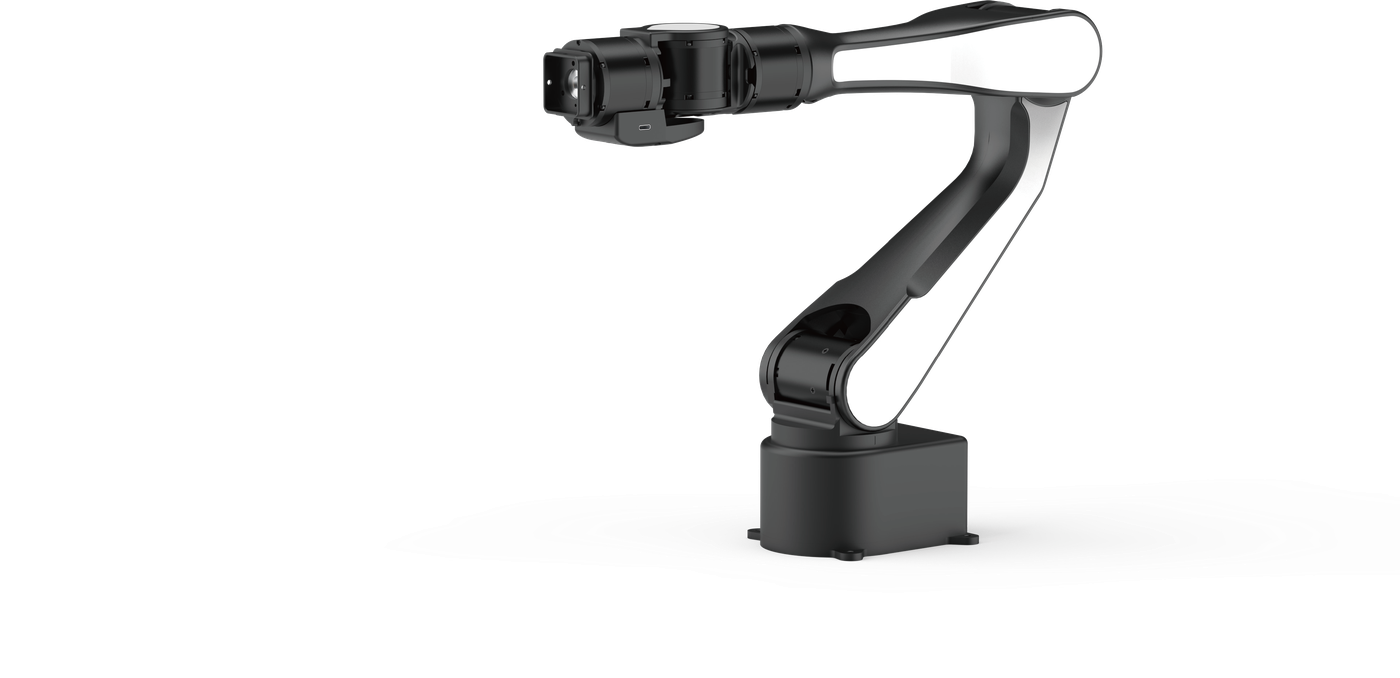
The AIRBOT Play body interfaces are primarily located on the base and tool end of the robotic arm.
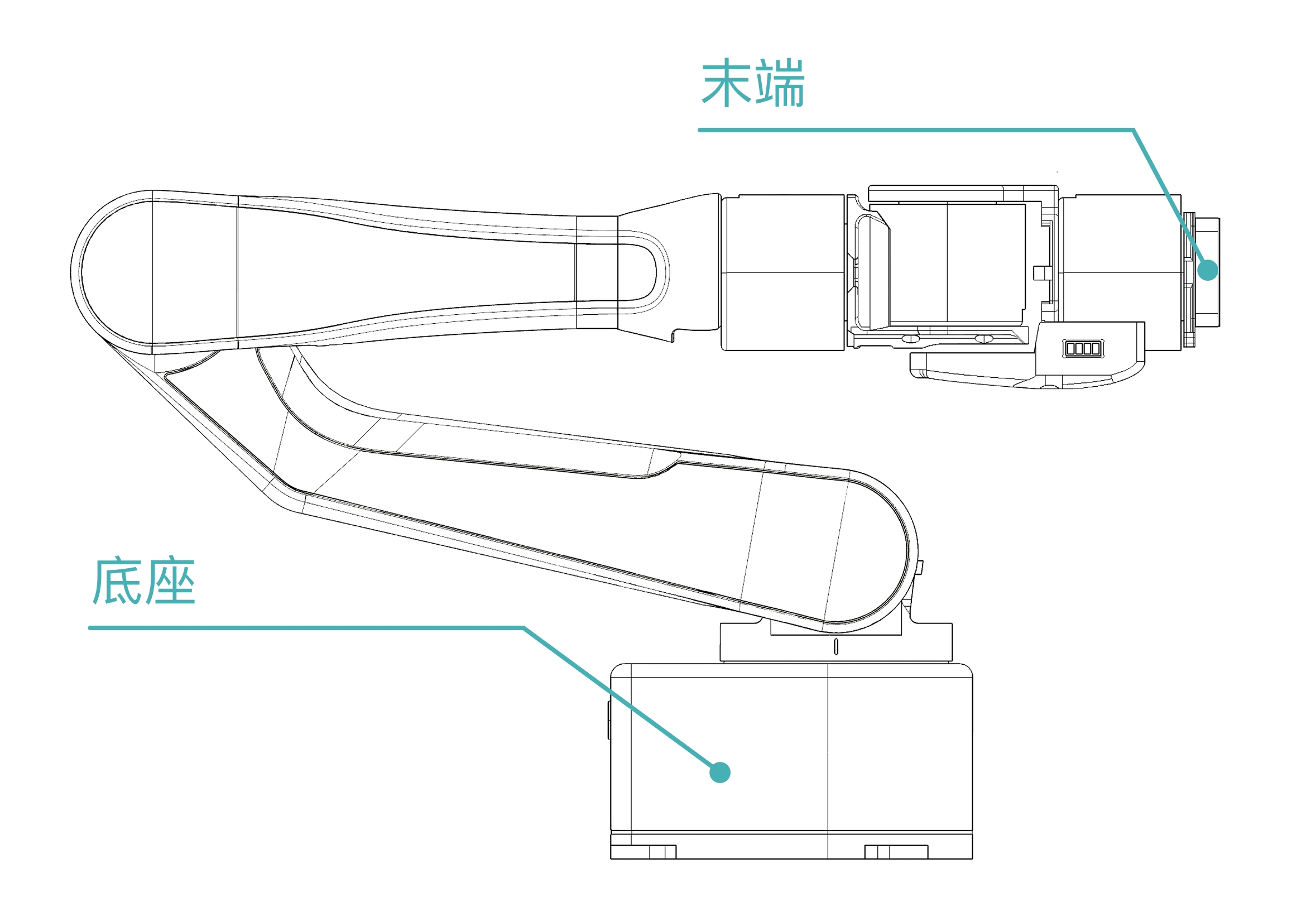
Base Interfaces#
All base interfaces are located on the base panel.
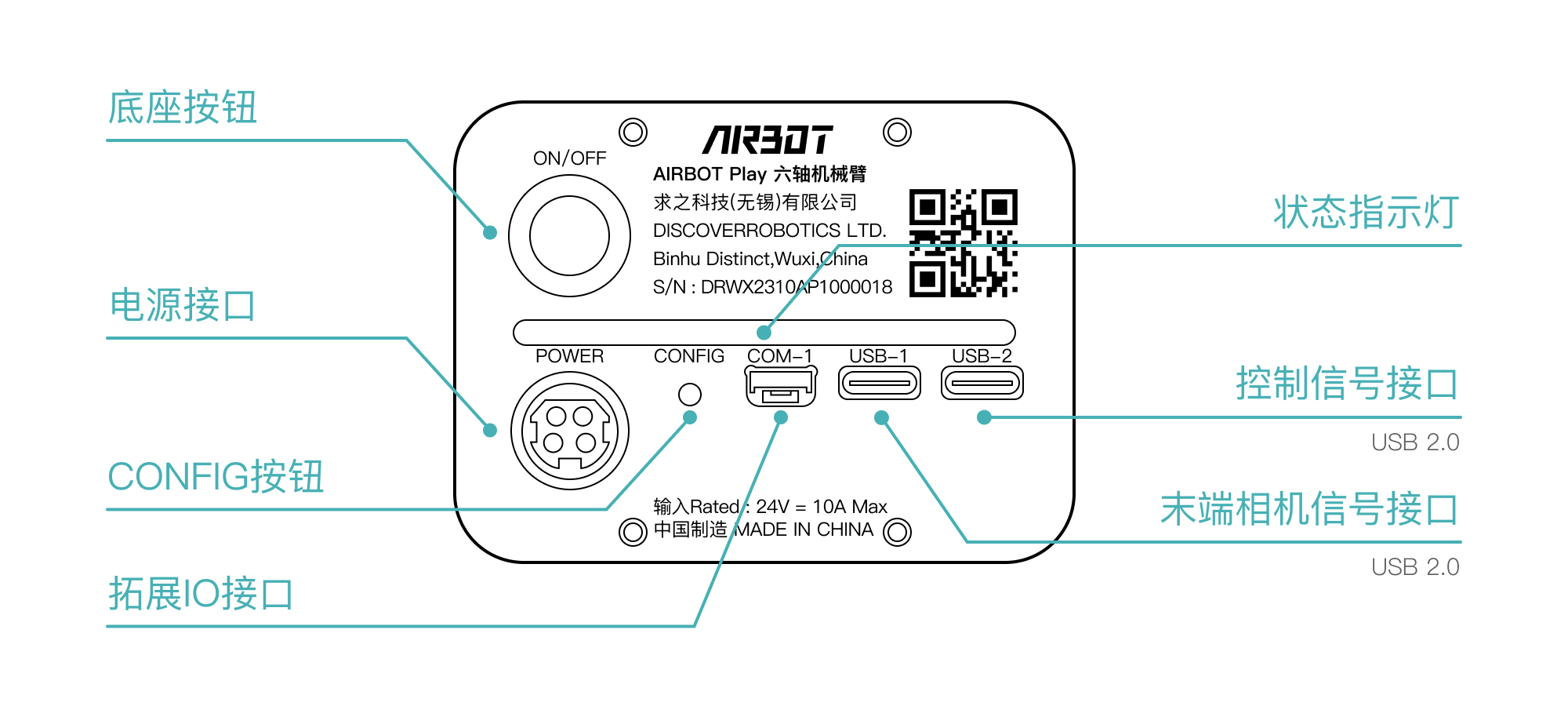
- Power interface: Connects the robotic arm's power cable through the aviation connector output from the power adapter.
-
Signal interfaces: Connect signal cables.
USB
- The USB-1 (TypeC) interface transmits the tool-camera signal to the host computer for tool-end vision-sensor data transfer.
- The USB-2 (TypeC) interface connects to the host computer through a USB data cable for data transfer and control.
-
Base button: Used for zero calibration.
- Contact the technical support team as needed regarding other interfaces.
Tool Interfaces#
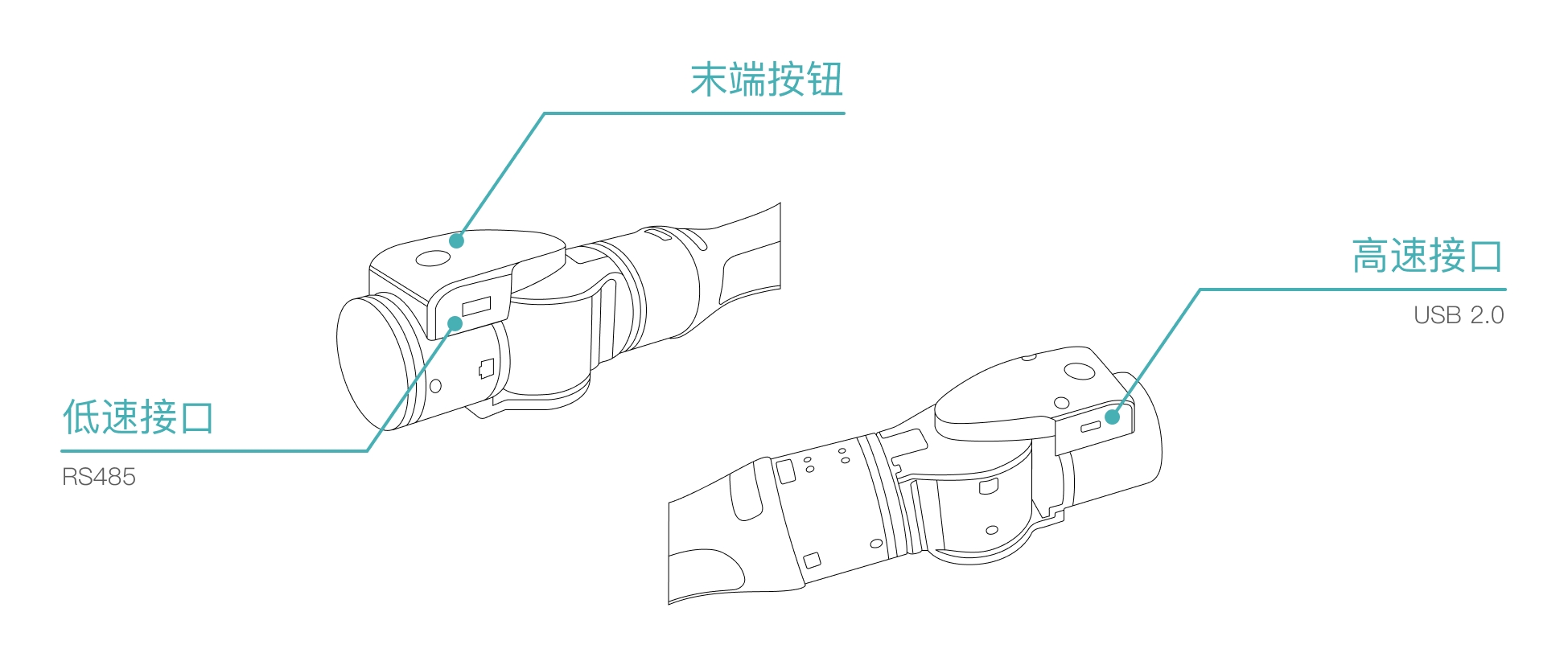
- Tool signal interface: Connects signals from devices at the tool end. Internal wiring routes these signals to the USB-2 interface on the robotic arm's base board, keeping the arm's exterior tidy and reducing interference from external cables within the workspace.
- Low-speed interface: connects tool-end sensors or actuators that support RS 485 communication.
- High-speed interface: connects tool-end sensors or actuators that support USB 2.0 transmission.