Running Examples#
Confirm safety before running an example
Keyboard-control and return-to-zero examples acquire control authority and drive the robot arm. Confirm that the tool, payload, and cables are installed correctly, clear the motion range, and ensure the physical emergency stop is immediately available. Exiting the program cannot replace the physical emergency stop.
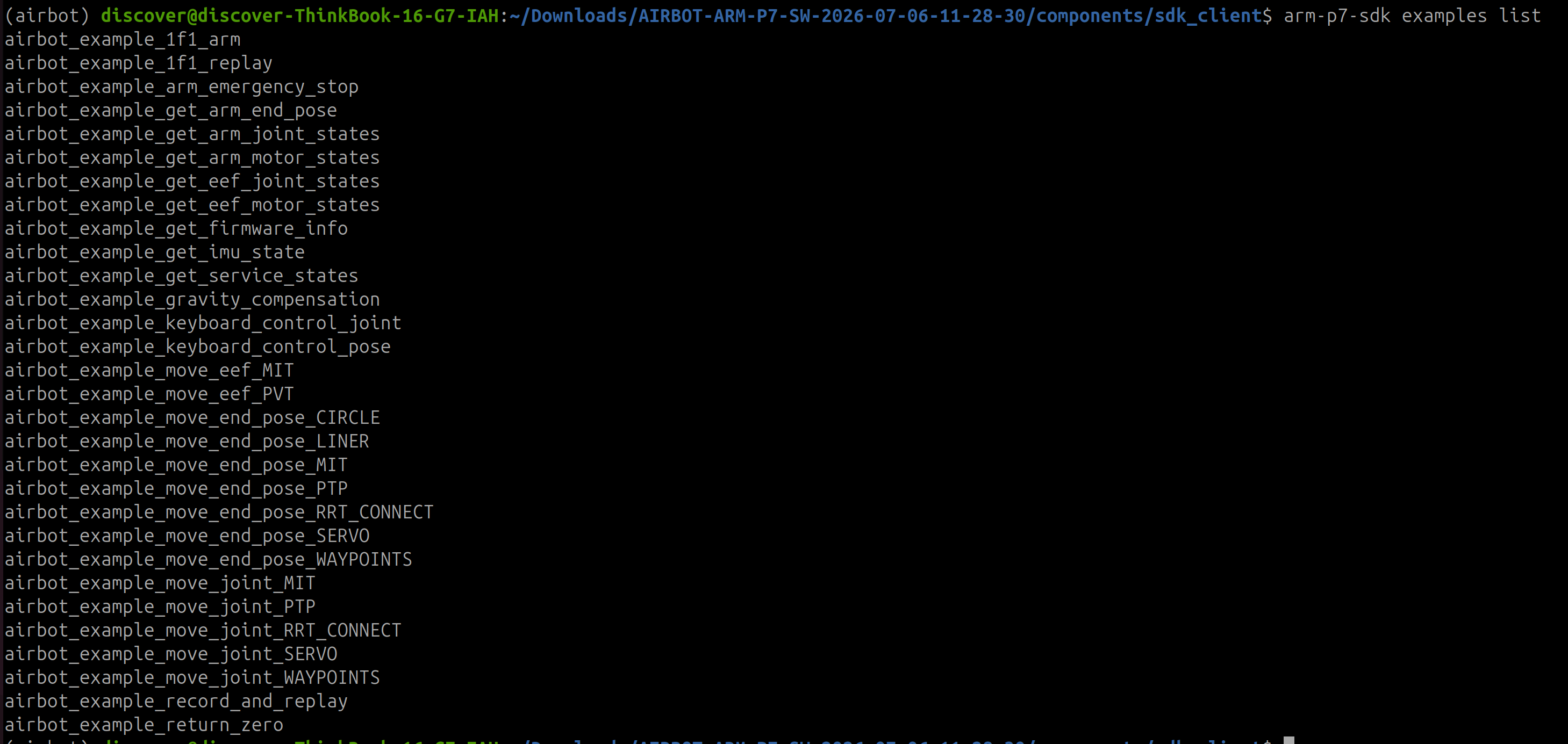
After installing the SDK wheel package, connect the robot arm to the computer through the Ethernet interface and power it on. In a terminal, enter the following command to list the examples included in the installed package:
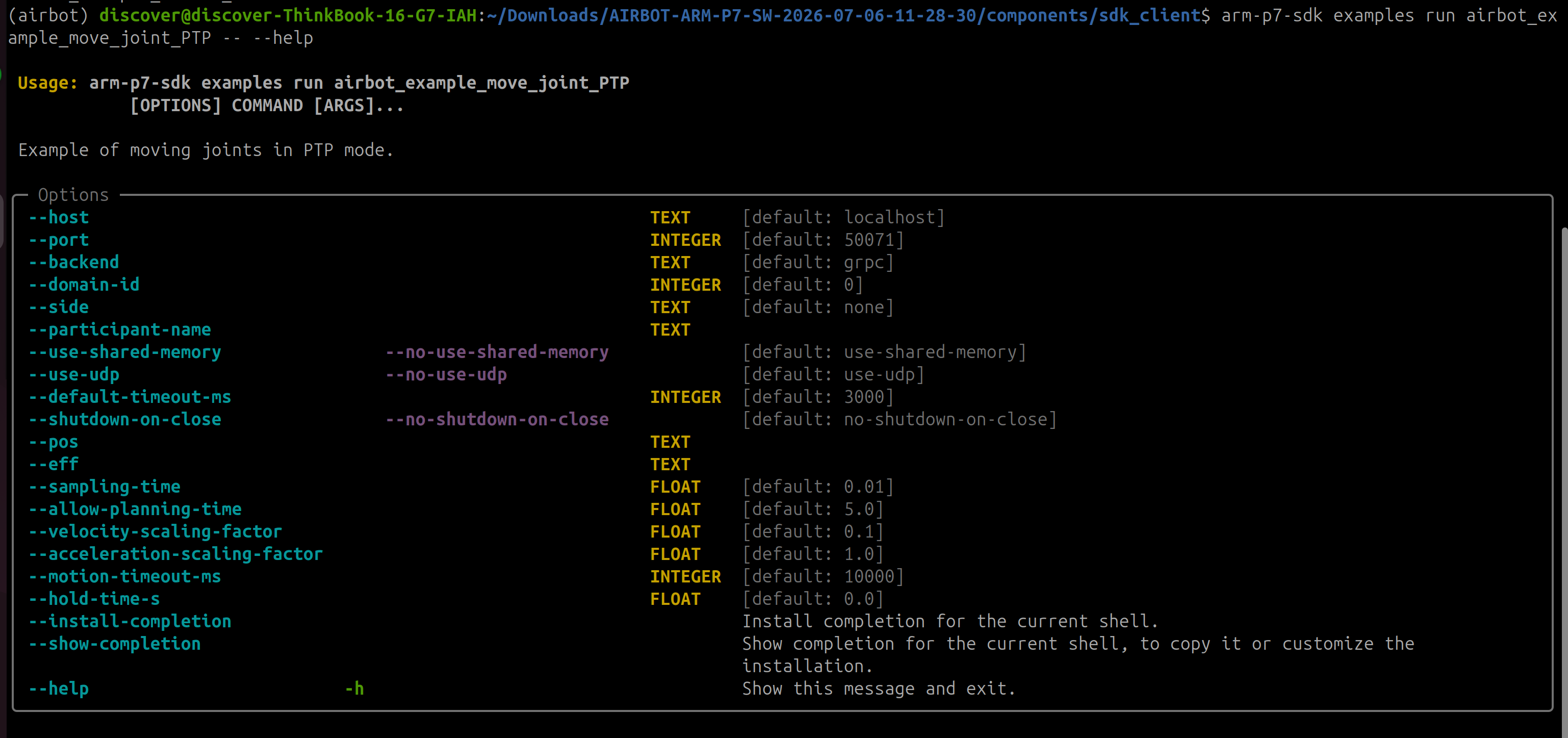
After finding an example name, put --help after the separator -- to view its argument list and descriptions. For example:
Confirm that the control service is ready
Before running a motion example, confirm that the robot arm's internal service has finished starting, the indicator at the end of the arm is steady yellow, and the control service is in the IDLE state. A flashing yellow indicator means that the service is still starting; wait for startup to complete before running the example. See Light Up the Robot Arm for power and connection instructions.
After confirming the example name and arguments, use the following format to run keyboard-control and other examples:
Replace <example-name> with a name from the list and put example arguments after --. The keyboard-control examples can be run as follows (replace <robot-IP> with the actual address):
arm-p7-sdk examples run airbot_example_keyboard_control_joint -- \
  --host <robot-IP> --port 50071

arm-p7-sdk examples run airbot_example_keyboard_control_pose -- \
  --host <robot-IP> --port 50071
Keyboard-control arguments:
| Argument | Meaning |
|---|---|
--host |
Robot control-service address; default localhost |
--port |
gRPC control-service port; default 50071 |
--backend |
Transport backend: grpc or dds; default grpc |
--domain-id |
DDS Domain ID; default 0 |
--side |
DDS side: none, left, or right; default none |
--participant-name |
DDS participant name; default empty |
--use-shared-memory / --no-use-shared-memory |
Enable or disable DDS shared-memory transport; enabled by default |
--use-udp / --no-use-udp |
Enable or disable DDS UDP transport; enabled by default |
--default-timeout-ms |
Default communication timeout in ms; default 3000 |
--shutdown-on-close / --no-shutdown-on-close |
Request control-service shutdown when closing the client; disabled by default |
--eff |
Seven robot-joint effort values, comma-separated; exactly seven values are required; default 8.0 for each joint |
--eef-eff |
End-effector effort; default 4.0 for joint control and 6.0 for pose control |
--motion-timeout-ms |
Motion-command timeout in ms; default 10000 |
--position |
Pose fallback position (x,y,z) in m when feedback is unavailable; default (0.3,0,0.3) |
--orientation |
Pose fallback quaternion (qx,qy,qz,qw) when feedback is unavailable; default (0,0,0,1) |
--eef-pos |
Pose fallback end-effector position in mm; default 70.0 |
Common keys:
| Example | Keys | Operation |
|---|---|---|
| Joint control | 1 / 2, 3 / 4, 5 / 6, 7 / 8, 9 / 0, q / w, a / s |
Increase / decrease J1 through J7 target angles |
| Joint control | e / r |
Increase / decrease end-effector position by 10 mm |
| Joint control | z / x |
Decrease / increase joint step; initial 0.05 rad, range 0 to 0.1 rad |
| Joint control | h |
Reset joint and end-effector targets to their initial values (all seven joints at zero) |
| Pose control | w / s, a / d, r / f |
Move along X, Y, Z in the positive / negative direction |
| Pose control | u / j, i / k, o / l |
Rotate Roll, Pitch, Yaw in the positive / negative direction |
| Pose control | e / c |
Increase / decrease end-effector position |
| Pose control | z / x, n / m |
Decrease / increase position step and rotation step |
| Pose control | g |
Synchronize the target pose with current robot feedback |
| Both examples | ++ctrl+c++ | Exit the example |
airbot_example_return_zero acquires control authority and moves the arm to its zero pose. Run it only after confirming the zero pose, complete motion path, and site safety conditions: