Quick Setup
> Stage 4: VR Device Deployment and Instructions (PICO4)
Pairing and Using the VR Wrist Strap/Motion Tracker#
This section explains how to pair the wrist-strap motion tracker and wear it correctly.
Step 1: Pair the Device#
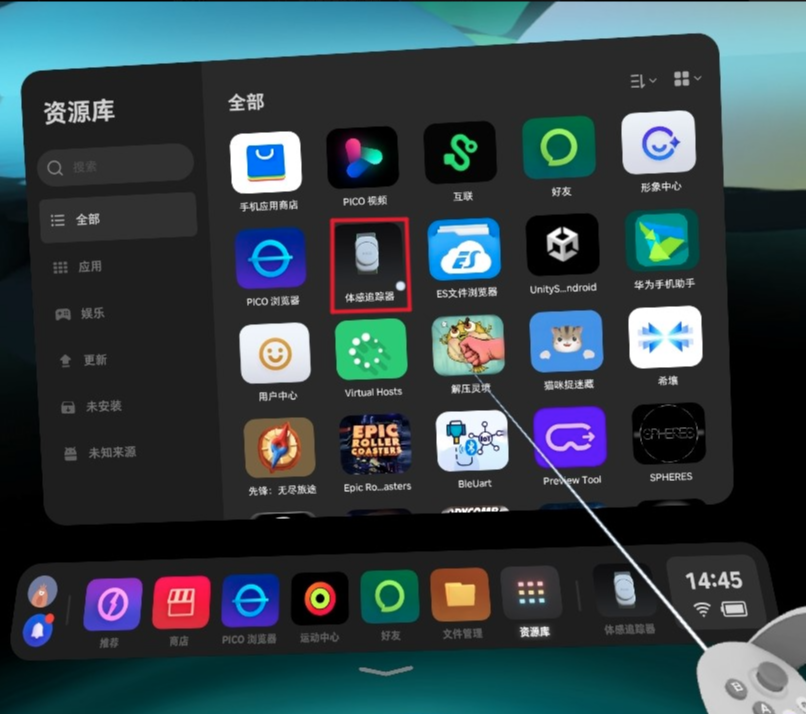
- Put on the PICO VR headset. From the home screen or Library, locate and launch the Motion Tracker app (shown inside the red box in the figure).
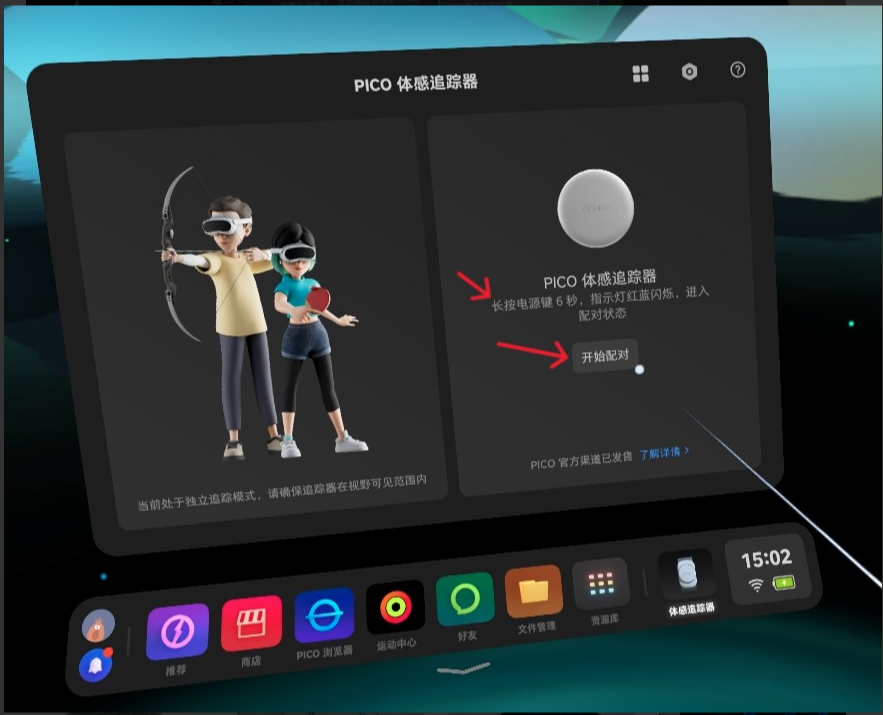
- Press and hold the tracker's power button for approximately 6 seconds, until the indicator alternates blue. This indicates that the device is waiting to pair.
| Motion Tracker App | Pairing Screen |
|---|---|
 |
 |
Step 2: Wear the Device#
Wear the device as shown below. Pay attention to its orientation: the indicator must face you and must match the orientation shown in the image exactly.
Add a wearing image that shows the indicator.
Tips#
| Removing the Motion Tracker | Motion Tracker |
|---|---|
 |
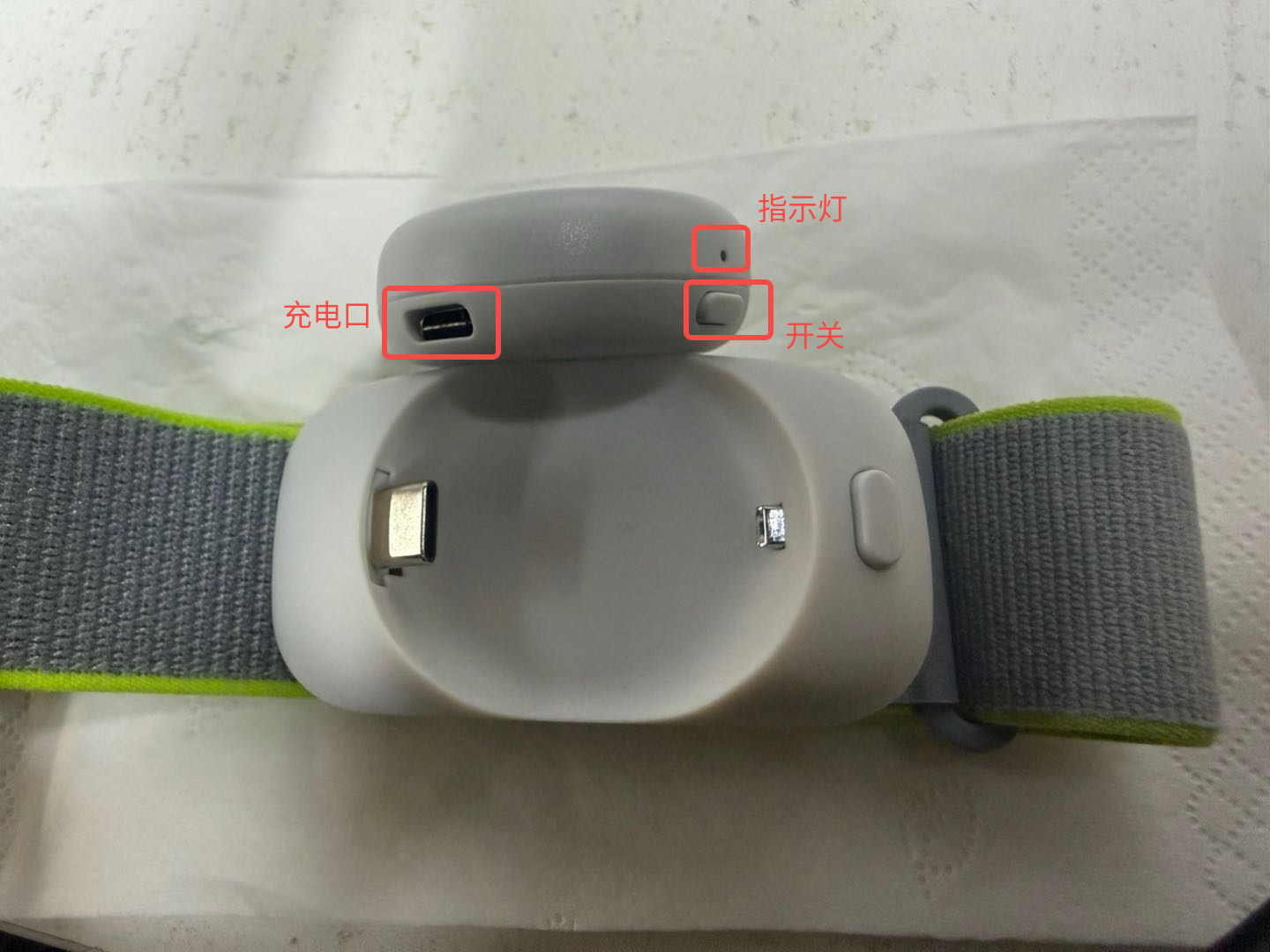 |
- Press the button inside the red box on the wrist strap, as shown below, to release the Motion Tracker from the strap.
- After it is released, the charging port is visible.
- Power on/pairing mode: Briefly press the tracker's power button. The indicator flashes alternately red and blue, indicating that the device is powered on and unpaired.
- Paired: After the tracker pairs successfully with the PICO device, the indicator flashes blue.
- Power off: Press and hold the power button until the indicator turns off completely.