⚙ Development Guide
Detailed Camera Configuration#
Camera Configuration Parameters#
Camera configuration uses YAML format and supports the following camera types:
| Camera | Position | Functions | Uses | Characteristics | Default State |
|---|---|---|---|---|---|
| head_camera | Robot head | RGB images + depth images | Environmental perception, object recognition, and navigation | Supports depth perception with high image quality | Enabled by default |
| left_camera | Left robotic-arm end effector | RGB images | Left-arm operation assistance and close-range observation | Moves with the left arm and provides an operation view | Optional; disabled by default |
| right_camera | Right robotic-arm end effector | RGB images | Right-arm operation assistance and close-range observation | Moves with the right arm and provides an operation view | Optional; disabled by default |
REALSENSE Camera Parameters#
| Parameter | Type | Description | Default | Notes |
|---|---|---|---|---|
| camera_type | str | Camera type | "REALSENSE" | |
| serial_no | str | Camera serial number | None | |
| rgb_camera.color_profile | str | RGB image profile | "1280,720,30" | Supported RGB resolutions: • 1280x720 @ 30fps • 1280x720 @ 15fps • 640x480 @ 30fps • 640x480 @ 15fps |
| enable_depth | str | Whether to enable depth | "false" | |
| depth_module.depth_profile | str | Depth image profile | "640,480,30" | Supported depth resolutions: • 640x480 @ 30fps • 640x480 @ 15fps • 424x240 @ 30fps • 424x240 @ 15fps |
| align_depth.enable | str | Whether to enable depth alignment | "false" | Depth alignment: • Enabled: Depth-image pixels correspond to RGB-image pixels • Disabled: The depth image contains raw depth data • Depth alignment is recommended for the head camera |
USB Camera Parameters#
| Parameter | Type | Description | Default | Notes |
|---|---|---|---|---|
| camera_type | str | Camera type | "USB" | |
| video_device | str | Camera device path | No configuration required | Device paths: • Left camera default: "/dev/left_camera" • Right camera default: "/dev/right_camera" |
| image_width | str | RGB image width | "640" | Cannot be changed |
| image_height | str | RGB image height | "480" | Cannot be changed |
| framerate | str | Camera frame rate | "25" | Cannot be changed |
Camera Configuration Examples#
- Basic camera configuration: head camera only
Example:
from mmk2_sdk import MMK2Robot

# Initialize the robot
robot = MMK2Robot(ip="192.168.11.200")

# Configure only the head camera
camera_config = {
        "head_camera": {
        "camera_type": "REALSENSE",
        "serial_no": "'242622071873'",
        "rgb_camera.color_profile": "1280,720,15",
        "enable_depth": "true",
        "depth_module.depth_profile": "640,480,15",
        "align_depth.enable": "true",
    }
}

# Set the camera configuration
robot.camera.set_camera_config(camera_config)

# Start camera streaming
robot.camera.start_stream()

# Get images
rgb_image = robot.camera.get_head_camera_rgb()
depth_image = robot.camera.get_head_camera_depth()
- Multi-camera configuration: head camera (RGB + depth) + left-arm REALSENSE camera (RGB only) + right-arm REALSENSE camera (RGB only)
Example:
# Configure multiple cameras
camera_config = {
    "head_camera": {
        "camera_type": "REALSENSE",
        "serial_no": "'242622071873'",
        "rgb_camera.color_profile": "1280,720,15",
        "enable_depth": "true",
        "depth_module.depth_profile": "640,480,15",
        "align_depth.enable": "true",
    },
    "left_camera": {
        "camera_type": "REALSENSE",
        "serial_no": "'327122077893'",
        "rgb_camera.color_profile": "1280,720,15",
        "enable_depth": "false",  # Do not enable depth
        "align_depth.enable": "false",
        "depth_module.depth_profile": "640,480,15",
    },
    "right_camera": {
        "camera_type": "REALSENSE",
        "serial_no": "'327122076989'",
        "rgb_camera.color_profile": "1280,720,15",
        "enable_depth": "false", # Do not enable depth
        "align_depth.enable": "false",
        "depth_module.depth_profile": "640,480,15",
    }
}

# Set the camera configuration
robot.camera.set_camera_config(camera_config)

# Start the specified cameras
robot.camera.start_stream(["head_camera", "left_camera"])

# Get images from different cameras
# Get a head-camera frame
head_frame = robot.camera.get_head_camera_frame()
head_rgb = head_frame.get("rgb")
head_depth = head_frame.get("depth")

# Get a left-arm camera frame
left_frame = robot.camera.get_left_camera_frame()
left_rgb = left_frame.get("rgb")

# Get a right-arm camera frame
right_frame = robot.camera.get_right_camera_frame()
right_rgb = right_frame.get("rgb")
- Multi-camera configuration: head camera (RGB + depth) + left-arm REALSENSE camera (RGB + depth) + right-arm REALSENSE camera (RGB + depth)
Example:
# Configure all cameras with RGB and depth support
camera_config = {
    "head_camera": {
        "camera_type": "REALSENSE",
        "serial_no": "'242622071873'",
        "rgb_camera.color_profile": "1280,720,15",
        "enable_depth": "true",
        "depth_module.depth_profile": "640,480,15",
        "align_depth.enable": "true",
    },
    "left_camera": {
        "camera_type": "REALSENSE",
        "serial_no": "'327122077893'",
        "rgb_camera.color_profile": "1280,720,15",
        "enable_depth": "true",
        "align_depth.enable": "true",
        "depth_module.depth_profile": "640,480,15",
    },
    "right_camera": {
        "camera_type": "REALSENSE",
        "serial_no": "'327122076989'",
        "rgb_camera.color_profile": "1280,720,15",
        "enable_depth": "true",
        "align_depth.enable": "true",
        "depth_module.depth_profile": "640,480,15",
    }
}

# Set the camera configuration
robot.camera.set_camera_config(camera_config)

# Start all three cameras
robot.camera.start_stream(["head_camera", "left_camera", "right_camera"])

# Get head-camera images
head_frame = robot.camera.get_head_camera_frame()
head_rgb = head_frame.get("rgb")
head_depth = head_frame.get("depth")

# Get left-arm camera images
left_frame = robot.camera.get_left_camera_frame()
left_rgb = left_frame.get("rgb")
left_depth = left_frame.get("depth")

# Get right-arm camera images
right_frame = robot.camera.get_right_camera_frame()
right_rgb = right_frame.get("rgb")
right_depth = right_frame.get("depth")
- Multi-camera configuration: head camera (RGB + depth) + left-arm USB camera (RGB) + right-arm USB camera (RGB)
Example:
# Configure multiple cameras
camera_config = {
    "head_camera": {
        "camera_type": "REALSENSE",
        "serial_no": "'242622071873'",
        "rgb_camera.color_profile": "1280,720,15",
        "enable_depth": "true",
        "depth_module.depth_profile": "640,480,15",
        "align_depth.enable": "true",
    },
    "left_camera": {
        "camera_type": "REALSENSE",
        "video_device": "/dev/left_camera",
        "image_width": "640",
        "image_height": "480",
        "framerate": "25",
    },
    "right_camera": {
        "camera_type": "USB",
        "video_device": "/dev/right_camera",
        "image_width": "640",
        "image_height": "480",
        "framerate": "25",
    }
}

# Set the camera configuration
robot.camera.set_camera_config(camera_config)

# Start the specified cameras
robot.camera.start_stream(["head_camera", "left_camera"])

# Get images from different cameras
# Get a head-camera frame
head_frame = robot.camera.get_head_camera_frame()
head_rgb = head_frame.get("rgb")
head_depth = head_frame.get("depth")

# Get a left-arm camera frame
left_frame = robot.camera.get_left_camera_frame()
left_rgb = left_frame.get("rgb")

# Get a right-arm camera frame
right_frame = robot.camera.get_right_camera_frame()
right_rgb = right_frame.get("rgb")
Camera Image-Processing Example#
import cv2
import numpy as np

# Configure camera parameters
....

# Get a complete head-camera frame
frame = robot.camera.get_head_camera_frame()
if frame:
    rgb_image = frame.get("rgb")
    depth_image = frame.get("depth")

    if rgb_image is not None:
        # Display the RGB image
        cv2.imshow("RGB", rgb_image)

    if depth_image is not None:
        # Display the depth image (convert to pseudocolor)
        depth_colored = cv2.applyColorMap(
            cv2.convertScaleAbs(depth_image, alpha=0.03),
            cv2.COLORMAP_JET
        )
        cv2.imshow("Depth", depth_colored)

cv2.waitKey(0)
cv2.destroyAllWindows()
Camera Usage#
After the robot software starts or restarts, wait 3min after the head and spine lights turn white to indicate that the robot is available for connection before connecting to a camera. Otherwise, the lower-level controller may report that it cannot find camera resources.
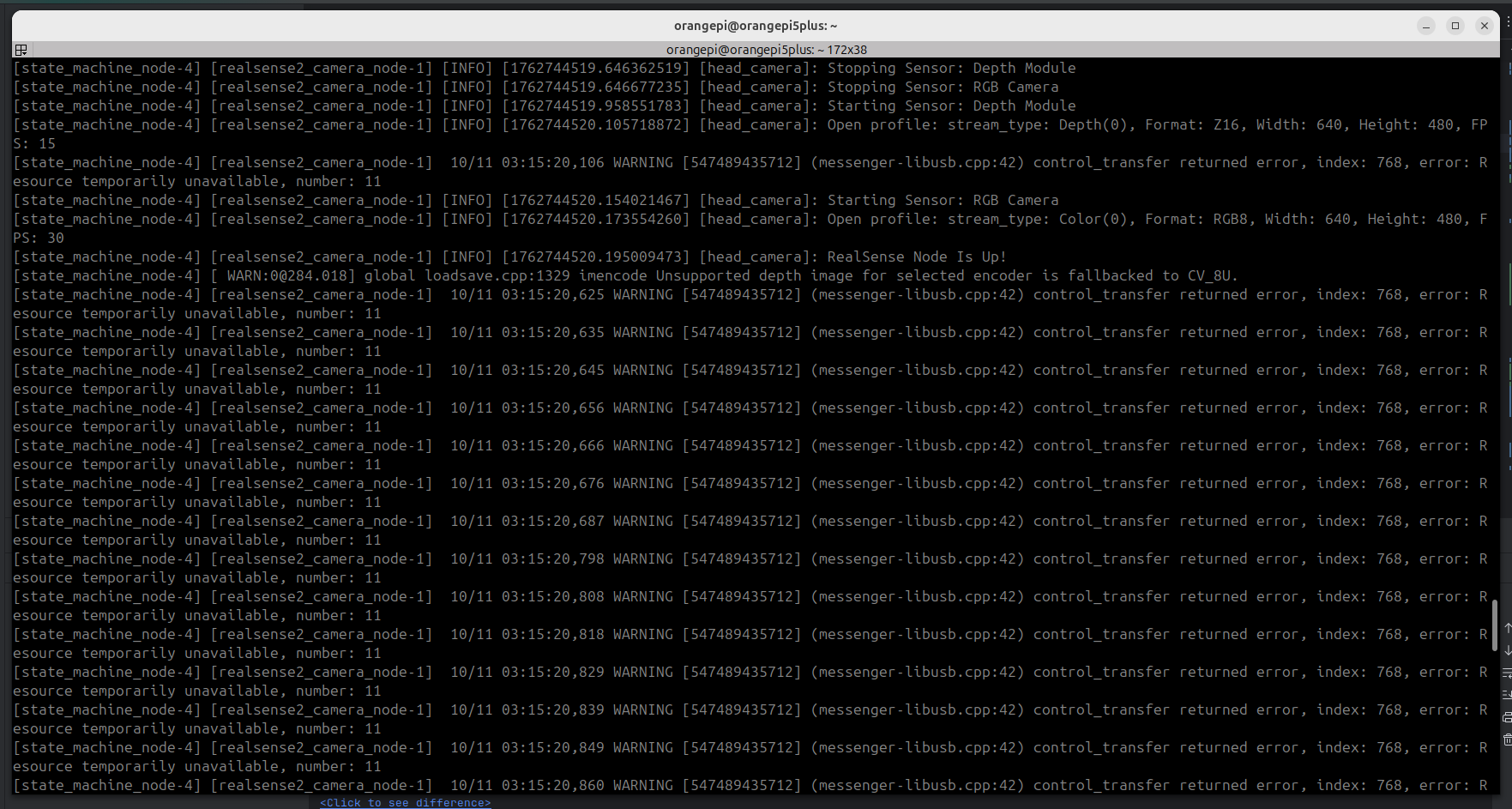
- Enabling depth images and alignment on the head camera substantially reduces the frame rate.
- After camera parameters are configured for the first time, restart the Orange Pi lower-level control software before changing the configuration.
- Performance test reference (RealSense camera driver + gRPC data transmission):
| Camera Configuration | RGB Resolution | Depth Enabled | Depth Alignment Enabled | Measured FPS | Screenshot |
|---|---|---|---|---|---|
| Head camera | 1280x720 @ 30fps | No | No | Average 20fps | 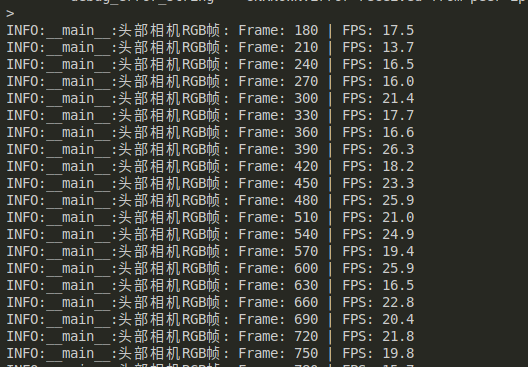 |
| Head camera | 1280x720 @ 15fps | No | No | Average 20fps | 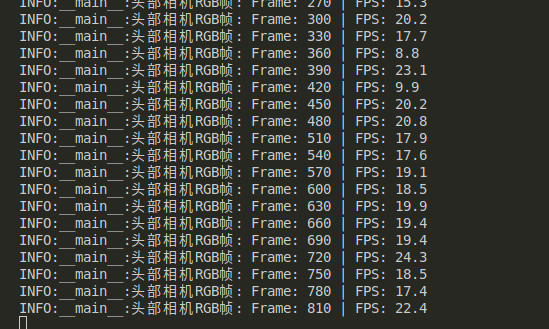 |
| Head camera | 1280x720 @ 30fps | Yes (640x480 @ 30fps) | Yes | Average 5fps | 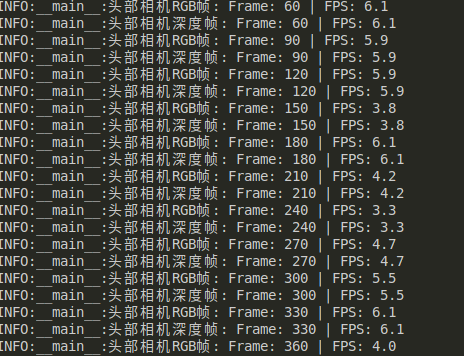 |
| Head camera | 1280x720 @ 30fps | Yes (424x240 @ 30fps) | Yes | Average 5fps | 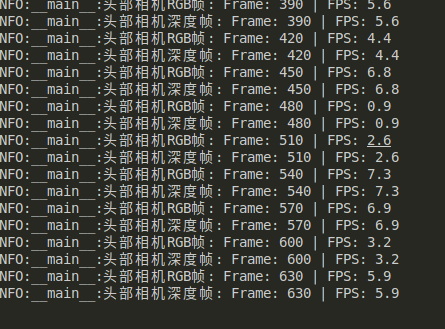 |
| RealSense head camera and RealSense dual-arm cameras | 1280x720 @ 30fps | No | No | Average 6.5fps | 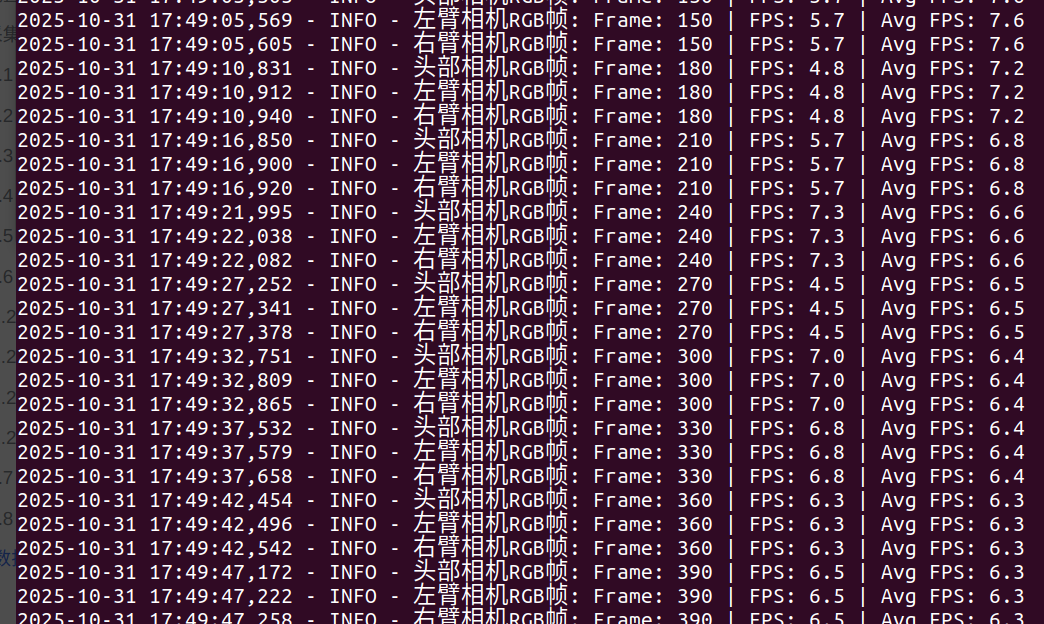 |
| RealSense head camera and RealSense dual-arm cameras | 640x480 @ 30fps | No | No | Average 9fps | 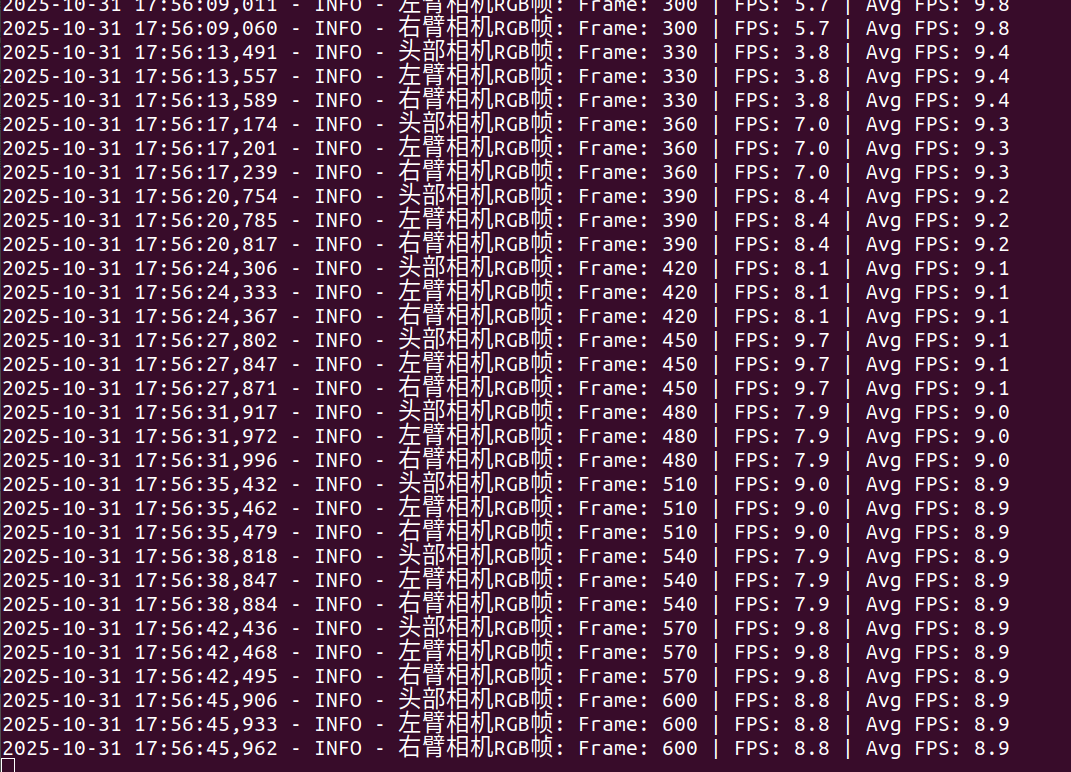 |
| RealSense head camera and RealSense dual-arm cameras | 1280x720 @ 30fps | Yes (640x480 @ 30fps) | Yes | Average 1fps | 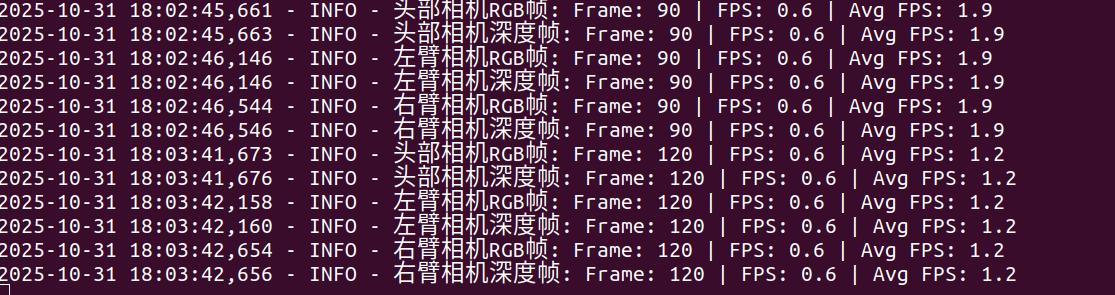 |
| RealSense head camera and RealSense dual-arm cameras | 640x480 @ 30fps | Yes (424x240 @ 30fps) | Yes | Average 1fps | 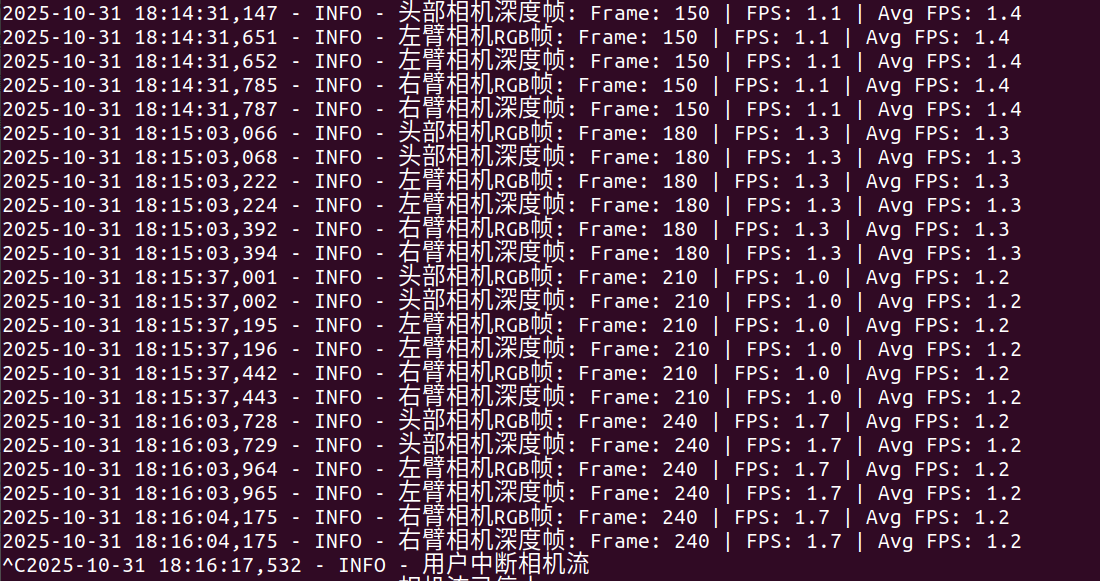 |
| RealSense head camera and USB dual-arm cameras | RealSense: 1280x720 @ 30fps USB: 640x480 @ 25fps |
No | No | Average 7fps | 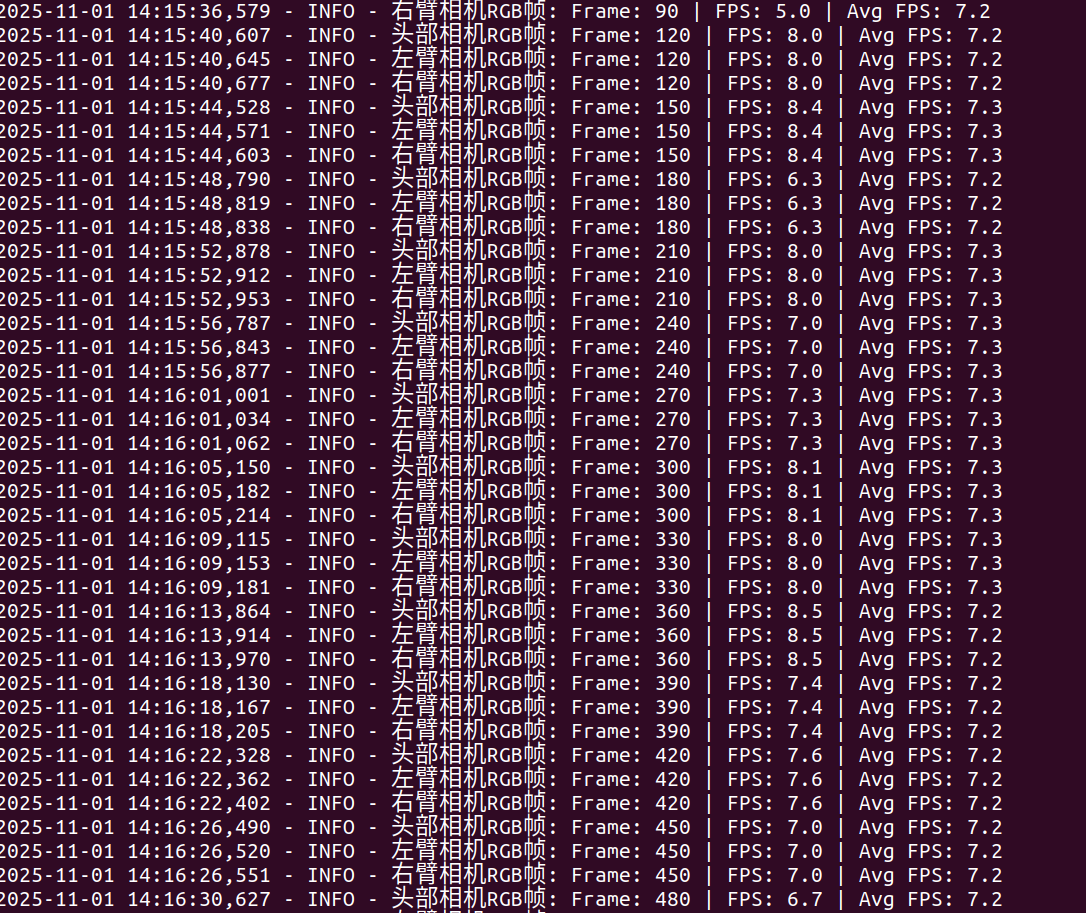 |
| RealSense head camera and USB dual-arm cameras | RealSense: 640x480 @ 30fps USB: 640x480 @ 25fps |
No | No | Average 8.6fps | 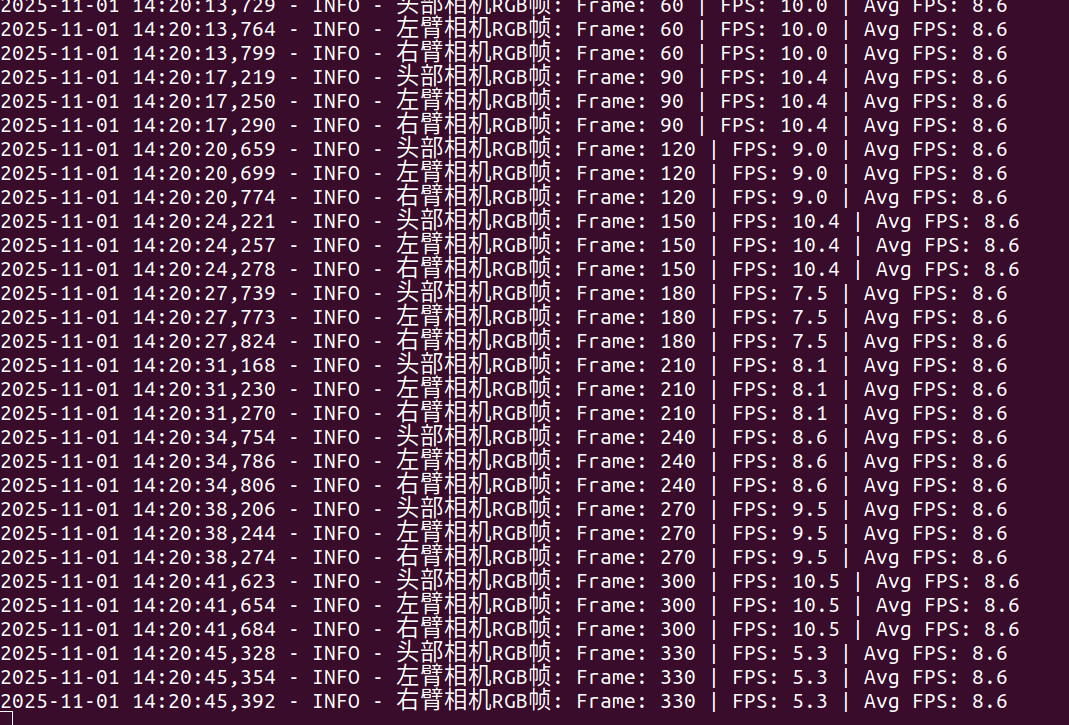 |
| RealSense head camera and USB dual-arm cameras | RealSense: 640x480 @ 30fps USB: 640x480 @ 25fps |
Yes (424x240 @ 30fps) | Yes | Average 5fps | 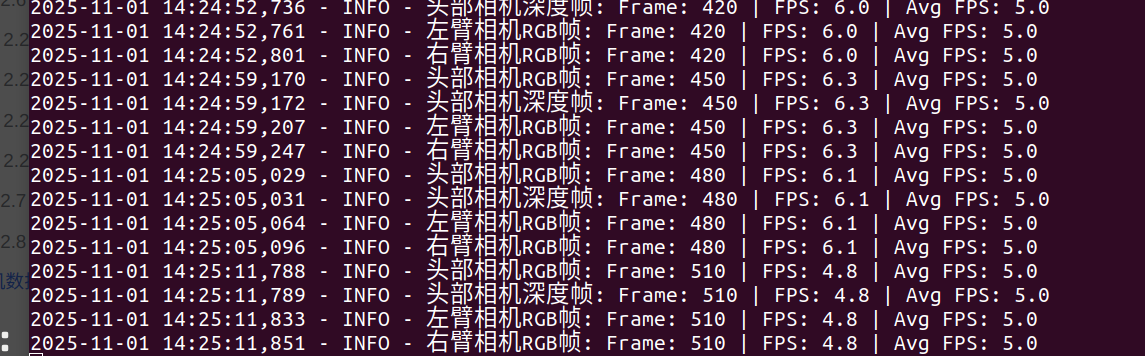 |